
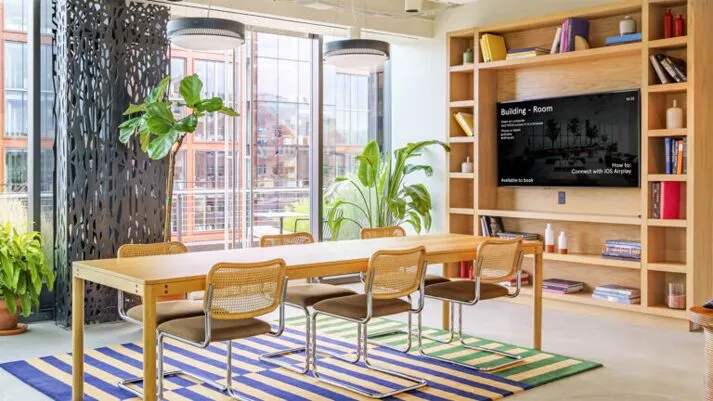
A meeting room display does not have to stop working when the meeting ends.
In its 2023 case study, Mersive reported that WeWork had purchased around 15,000 Solstice Pods for use across more than 500 locations. The platform supported wireless collaboration, centralized management, operational visibility, and Dynamic Digital Signage across a large portfolio of shared meeting spaces.
The deployment demonstrates what can happen when organizations look beyond one meeting-room function. Instead of treating wireless presentation, display content, booking information, and device management as separate concerns, WeWork connected them as parts of one workplace experience.
Case-study information and project imagery source: Mersive’s WeWork case study.
The challenge: make collaboration simple at enterprise scale
WeWork serves people who bring different laptops, phones, tablets, operating systems, and working styles into shared rooms. Its meeting technology therefore needed to be straightforward for users while remaining scalable for the teams managing it.
According to Mersive’s case study, WeWork wanted users to connect to room displays without touching or depending on cables, dongles, hubs, or additional switching equipment. Physical accessories could be misplaced, while repeated handling could increase wear on room equipment.
The organization needed a wireless presentation system that could support different devices, deliver a consistent sharing experience, and be managed across a large global deployment.
During meetings: platform-agnostic wireless collaboration
Mersive Solstice gave participants a way to share content wirelessly to the room display. For a flexible workplace used by different people throughout the day, reducing the steps required to begin presenting was an important part of the meeting experience.
The case study describes WeWork’s requirement as platform-agnostic collaboration. Users needed to bring content from their preferred devices without relying on a dedicated presentation cable or a specific hardware dongle.
WeWork also adopted browser-based sharing. Mersive’s case study states that, beginning with Solstice 6, users could navigate to the sharing service through a browser and present without first installing an application on their personal device. WeWork implemented a customized URL to simplify that experience for its members.
For shared meeting rooms, this can reduce friction at a critical moment: the beginning of the session. Less time spent understanding the room means more time available for the discussion.
Between meetings: Dynamic Digital Signage
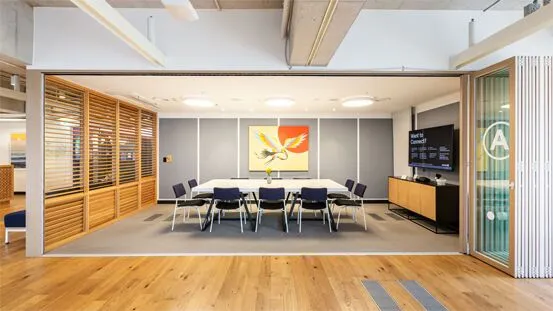
The room display continued to serve a purpose after content sharing ended.
WeWork integrated its booking systems with Mersive’s Dynamic Digital Signage, allowing meeting-room screens to display web-based content connected to the workplace experience. Depending on the room and configured workflow, that content could include:
- Welcome messages
- Room booking information
- Branded content
- Availability reminders
- Other workplace communications
The signage experience could also respond to room conditions. Mersive’s case study states that WeWork had motion sensors developed to work with Solstice and used the Solstice calendar API as part of its customized implementation. If movement was detected in a room that had not been booked, the display could remind the occupant to reserve the space.
This helped WeWork address unbooked room use and connect the display to a real operational requirement. The screen was not simply showing generic content; it was helping communicate what users needed to do in that room.
Across multiple locations: centralized management
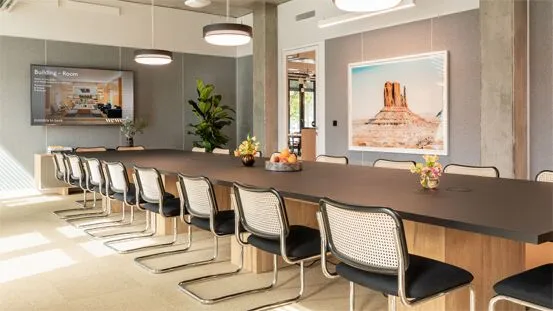
An estate reported at around 15,000 Pods cannot be managed efficiently as a collection of isolated rooms.
Mersive’s case study explains that WeWork used Solstice Cloud to bring thousands of devices into a centralized management environment. The platform allowed its teams to:
- Register and deploy new Pods
- See whether a device was offline
- Apply configuration templates
- Schedule software updates
- Change digital signage content
- Use analytics to understand and optimize room use
This management layer is an important part of the case study. A meeting-room experience can be simple for the user only if the technology team has a practical way to maintain it behind the scenes.
One display. More than one purpose.
| Environment | Role of Mersive Solstice | Operational value |
|---|---|---|
| During meetings | Wireless presentation and collaboration | Helps different users share content with fewer physical connection steps |
| Between meetings | Dynamic Digital Signage and booking information | Keeps the display useful and connects communication to room conditions |
| Across locations | Centralized cloud management and analytics | Supports configuration, monitoring, updates, signage, and visibility at scale |
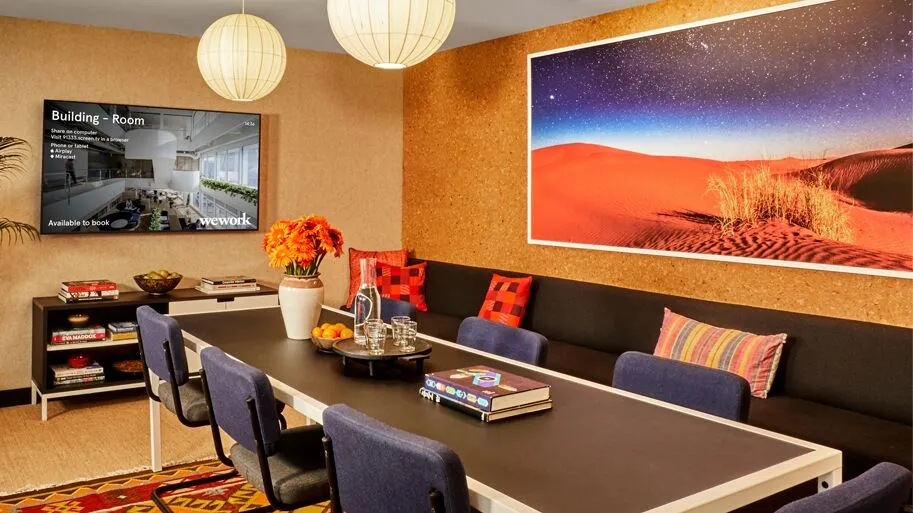
The WeWork case study shows that meeting room technology can support more than presentations. The display becomes part of a connected workflow that serves users during the meeting, communicates between sessions, and gives administrators a consistent way to manage rooms across locations.
What organizations can learn from the WeWork deployment
Most organizations will not need a meeting-room estate on the scale reported in Mersive’s 2023 case study. The useful lesson is the architecture behind it.
- Design for the user: Make the path from entering the room to sharing content easy to understand.
- Reduce unnecessary hardware touchpoints: Wireless workflows can lessen dependence on frequently handled cables and adapters.
- Use the display between sessions: Connect signage and room information to the workplace experience.
- Plan management before expansion: Templates, remote monitoring, updates, and analytics become more important as the number of rooms increases.
- Test the complete workflow: Evaluate sharing, signage, scheduling, networking, security, and support as one room experience.
For Philippine enterprises, coworking environments, offices, campuses, and multi-site organizations, the same principles can guide a smaller pilot or a wider standardization program.
Make more of your meeting room display
For organizations planning or upgrading meeting spaces, the question is no longer simply, “How do we present wirelessly?”
It can also be, “How can this display continue adding value when nobody is presenting?”
Mersive Solstice brings wireless collaboration and meeting room digital signage into the same environment. Combined with centralized management, it can help organizations create rooms that are seamless for users, scalable for administrators, and more useful throughout the working day.
Explore Mersive AV solutions from NCG, learn more about the Mersive Solstice Gen 3 Pod, or see how meeting-room displays support collaboration, signage, and room schedules.
Frequently asked questions
How many Mersive Solstice Pods did WeWork deploy?
In its 2023 case study, Mersive reported that WeWork had purchased around 15,000 Solstice Pods for use across more than 500 locations.
How did WeWork use Mersive Solstice during meetings?
WeWork used Solstice for platform-agnostic wireless content sharing, including a browser-based workflow designed to help users begin presenting without installing an application on their personal device.
How did WeWork use Dynamic Digital Signage?
WeWork integrated booking systems, hosted web content, calendar data, and room-responsive features so displays could communicate room information when they were not being used for content sharing.
How were thousands of Solstice Pods managed?
According to the case study, WeWork used Solstice Cloud for deployment, device monitoring, configuration templates, scheduled updates, digital-signage changes, and operational analytics.
Planning your meeting room setup in the Philippines?
Nex Cambro Gen helps organizations design meeting-room environments built around collaboration, AV, digital signage, and workplace technology.
Source disclosure: Deployment information, product statements, and WeWork imagery in this article are drawn from Mersive’s published WeWork case study. Nex Cambro Gen did not independently audit the deployment figures or operational outcomes described by Mersive and WeWork.
Continue Reading
Related Articles
Education Technology
How Mersive Solstice Supports Collaborative Learning in the AI Era
See how universities use Mersive Solstice to connect student devices, shared displays, active-learning workflows, and centrally managed collaboration.
Read Article
Meeting Room Technology
Best Meeting Room Setup for a More Secured, Seamless & Scalable Workplace
See how wireless presentation, intelligent video, AV switching, and a professional display work together in a more secure, seamless, and scalable meeting room.
Read Article
Financial Services
Why Financial Institutions Choose Mersive Solstice for Secure Collaboration
What the BNL Gruppo BNP Paribas and Business Development Bank of Canada deployments reveal about secure, manageable wireless collaboration in financial services.
Read Article