

A well-designed meeting room is more than a table, chairs, and a screen.
The right meeting room setup should support the way people actually use the space—whether that means presenting to a large audience, conducting executive discussions, running training sessions, or collaborating with remote participants.
Before choosing cameras, displays, microphones, or furniture, start with one question:
What needs to happen inside this room?
Your answer determines the layout, capacity, technology, and ultimately how effective the room will be.
In this guide, we break down the most common meeting room layouts, explain when each works best, and cover the essential equipment needed to build a meeting space that is practical, connected, and ready for hybrid work.
How to Set Up a Meeting Room
A good meeting room setup starts with the room—not the equipment. However, before buying technology, consider five factors:
- Purpose — presentations, collaboration, training, executive meetings, workshops, or hybrid conferencing?
- Number of participants — how many people normally use the room?
- Room dimensions — how far will people sit from the display, camera, and microphones?
- Meeting style — will participants mainly face a presenter, interact with one another, or both?
- Technology requirements — video conferencing, wireless presentation, room booking, displays, audio, or room control?
Once these are clear, you can choose the most appropriate meeting room layout.
Common Meeting Room Setup Styles
1. Boardroom Style Meeting Room Setup
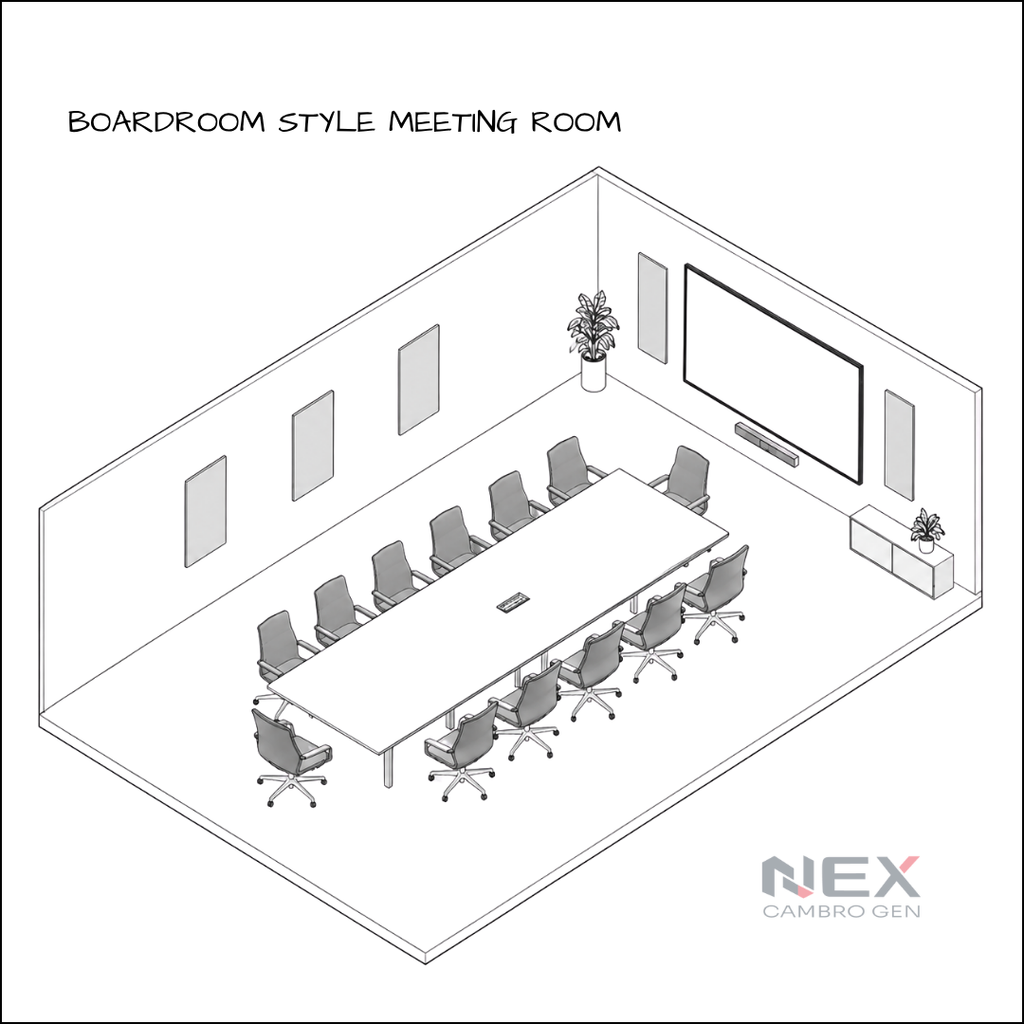
Boardroom style uses one central table with participants seated around it.
It is one of the most common layouts for traditional conference rooms because it naturally supports direct conversation between participants.
When should you use boardroom style?
It is suitable for:
- Leadership meetings
- Strategy sessions
- Client presentations
- Department meetings
- Hybrid executive meetings
Technology considerations
The boardroom is also one of the most important layouts to design correctly for video conferencing.
The camera should capture participants naturally without forcing everyone to crowd together.
Microphone coverage should extend across the full table, while the display should remain visible from all seating positions.
For hybrid meetings, remote participants should feel like part of the conversation rather than simply appearing on a screen at the far end of the room.
For a complete product and system overview, explore Nex Cambro Gen’s boardroom set-up solution.
2. Classroom Style Meeting Room Setup
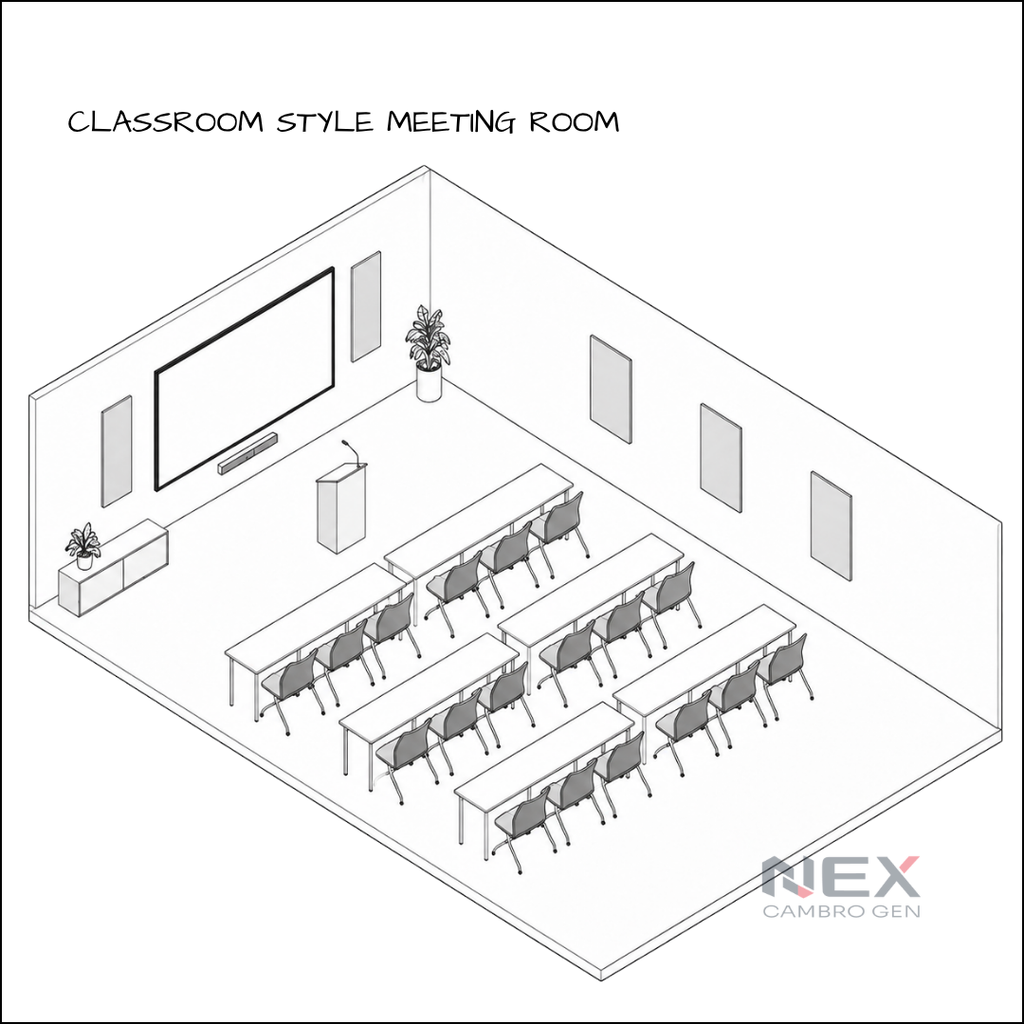
Classroom style uses rows of tables and chairs facing the front of the room.
Unlike theater seating, participants have work surfaces for laptops, documents, notebooks, and other training materials.
When should you use classroom style?
This layout is ideal when participants need to focus on a presenter while also completing individual work.
Common applications include:
- Employee training
- Technical workshops
- Certification programs
- Classroom instruction
- Product demonstrations
Technology considerations
Make sure participants at the back of the room can comfortably read the display.
For larger training spaces, additional displays may be required.
Wireless presentation can also make the room more flexible, particularly when instructors or participants frequently need to share content.
3. Banquet Style Meeting Room Setup
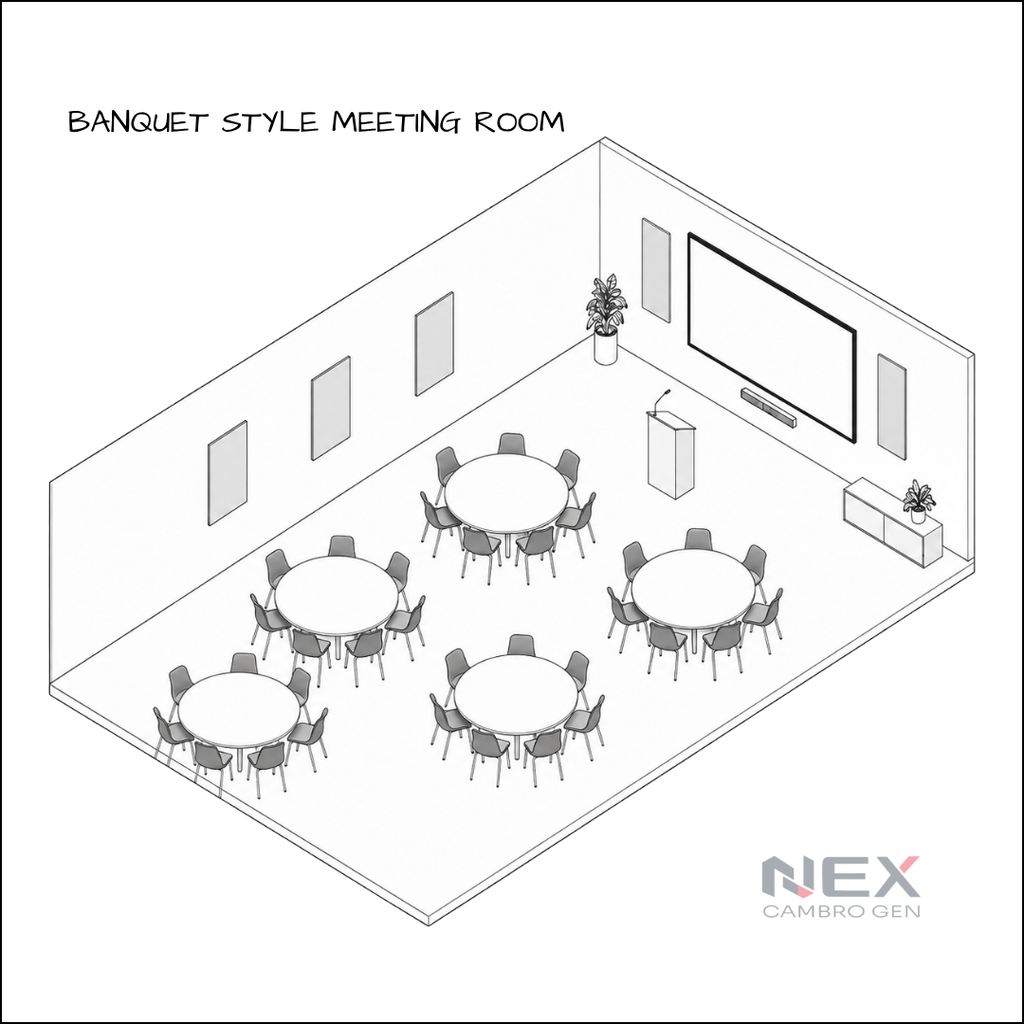
Banquet layouts arrange participants around multiple round tables.
Instead of everyone facing one direction, attendees naturally communicate with the people seated around them.
When should you use banquet style?
Banquet style works well when conversation and networking are more important than maintaining constant attention toward a presentation screen.
It can be used for:
- Networking events
- Workshops
- Team-building activities
- Corporate functions
- Collaborative exercises
Technology considerations
Because participants face different directions, screen visibility can become a challenge.
Large rooms may require multiple displays or strategically positioned digital signage.
For presentations, make sure every table has a reasonable viewing angle without requiring participants to constantly turn their chairs.
4. Cabaret Style Meeting Room Setup
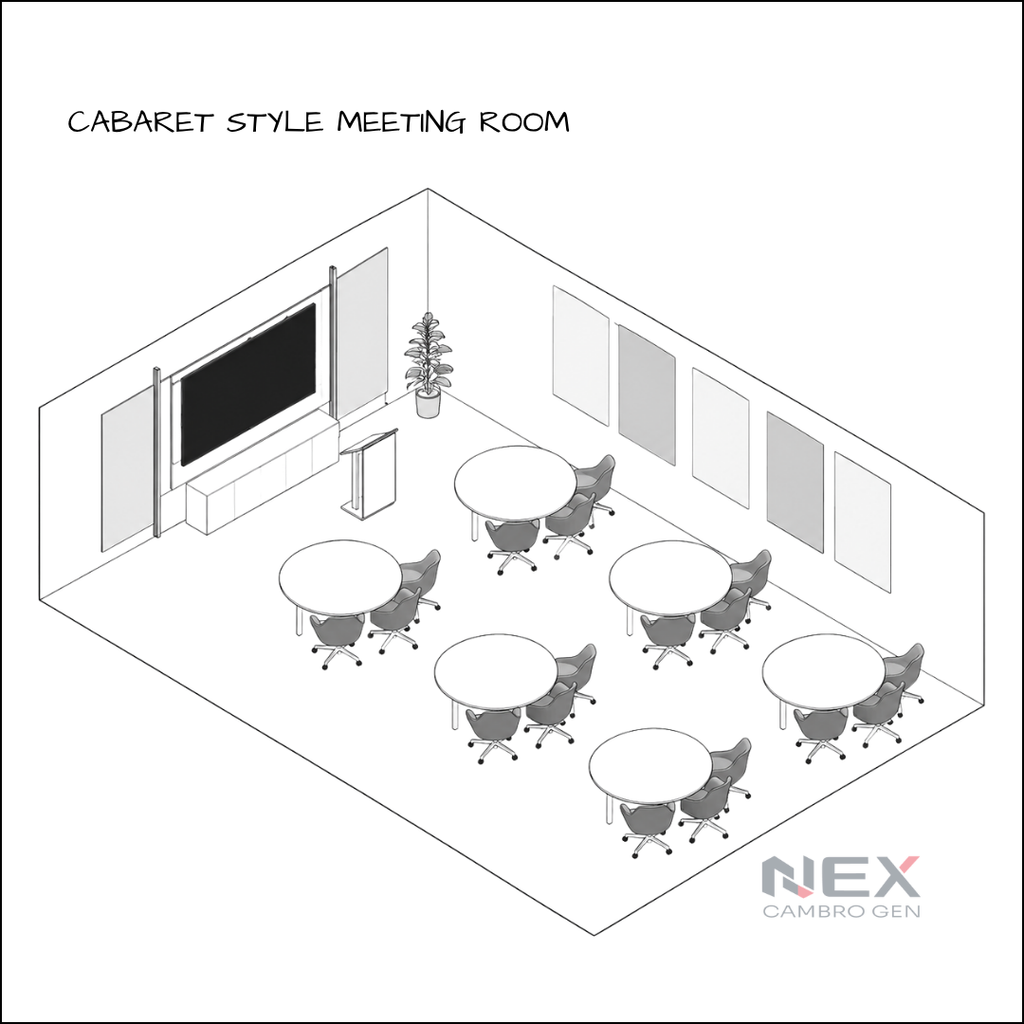
Cabaret style combines elements of banquet seating and classroom-style presentations.
Participants sit around tables, but seating is arranged so that attendees still have a clear view of the presenter or display.
When should you use cabaret style?
It works particularly well when an event requires both:
Group discussion + presentation
For example:
- Corporate workshops
- Interactive seminars
- Conferences
- Training activities
- Group exercises
Technology considerations
Position displays where participants can see them without significantly turning away from their tables.
For hybrid sessions, microphones also need to capture multiple participant groups rather than only one fixed seating position.
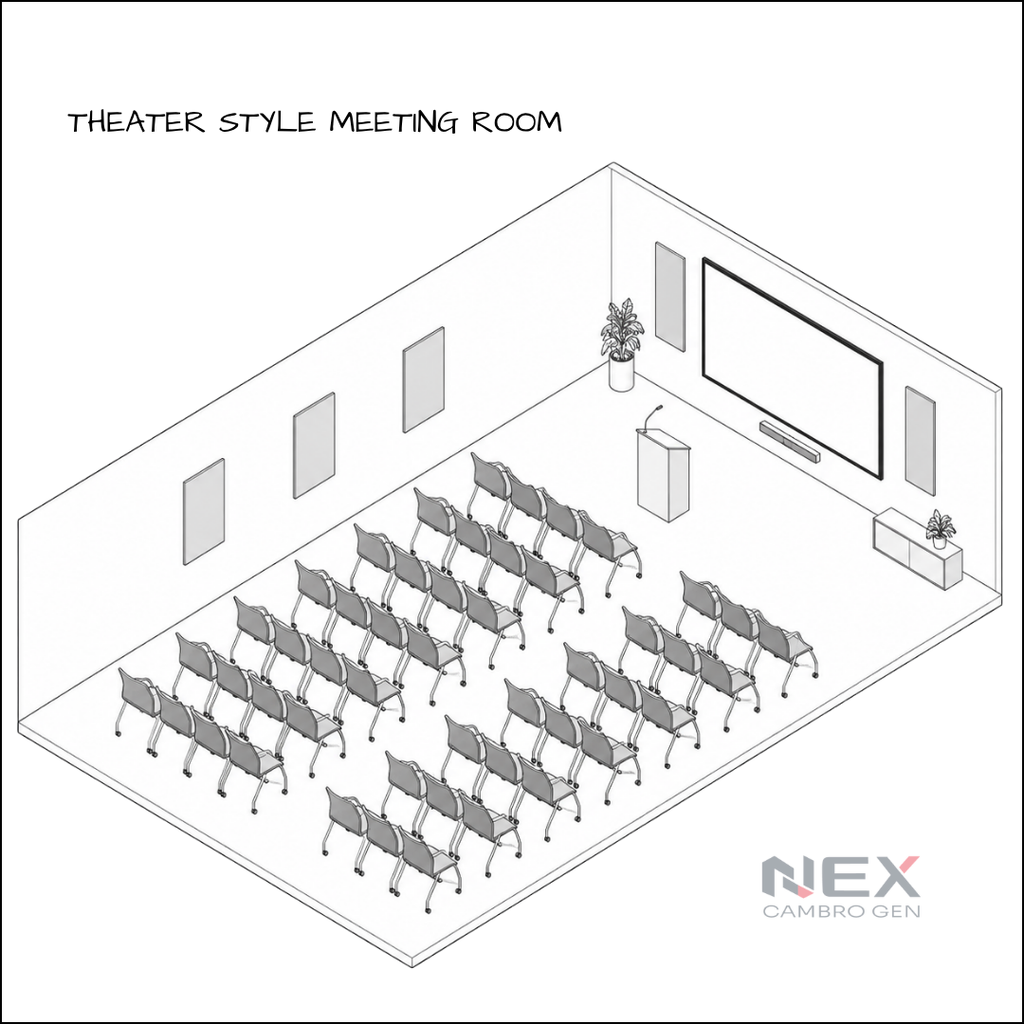
5. Theater Style Meeting Room Setup
Theater style places rows of chairs facing one main presentation area.
Because there are no tables between attendees, this layout can accommodate more people within the same floor area than many other meeting room configurations.
When should you use theater style?
Choose theater style when communication primarily flows from the presenter to the audience.
It works particularly well for:
- Corporate presentations
- Product launches
- Employee briefings
- Seminars
- Large hybrid events
Technology considerations
Visibility and audio coverage become increasingly important as the room gets longer.
Consider a sufficiently large display or projection system, room-wide audio coverage, presenter microphones, and cameras capable of capturing the presentation area.
If remote participants will join, the room should also provide a clear view of the presenter and appropriate audio pickup for audience questions.
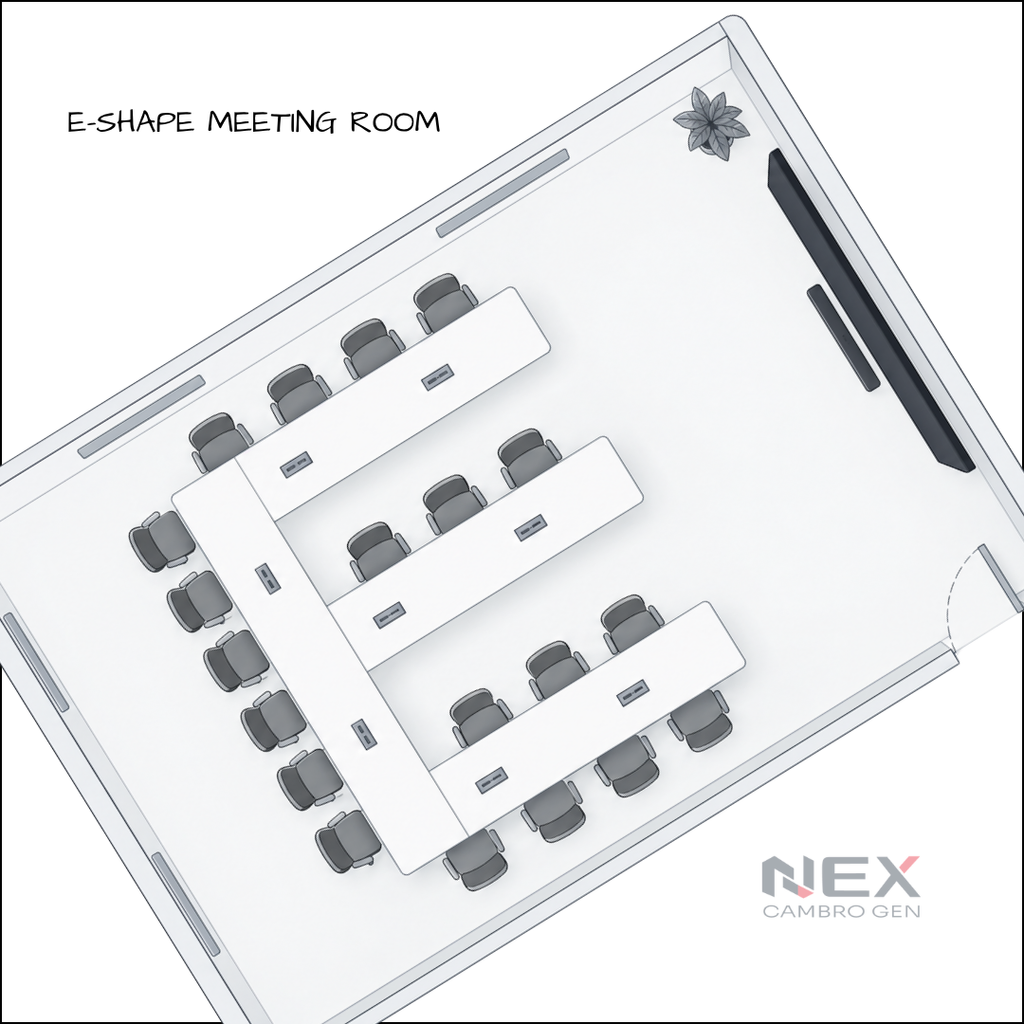
6. E-Shape Meeting Room Setup
An E-shaped arrangement creates several connected table sections while keeping participants within one larger group.
It can provide more working surfaces than some conventional meeting layouts while still giving facilitators access to participants.
When should you use E-shape?
Consider this layout for:
- Training programs
- Workshops
- Collaborative exercises
- Facilitated sessions
- Group-based activities
Technology considerations
E-shaped rooms can create multiple seating angles.
Camera placement, microphone pickup, and display visibility therefore need more attention than in a simple boardroom.
Before installing equipment, identify where participants will normally face during presentations and discussions.
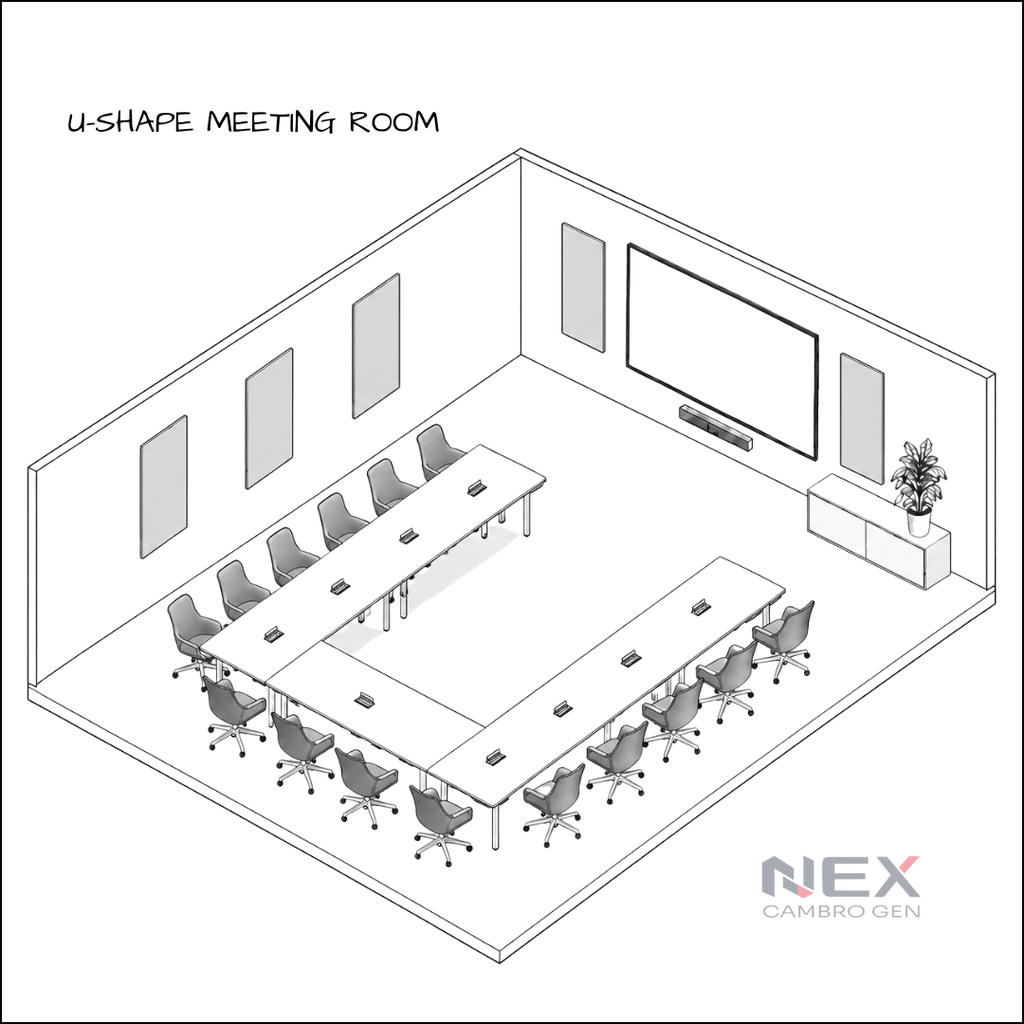
7. U-Shape Meeting Room Setup
The U-shape places tables around three sides of the room while leaving the center open.
This gives participants a clear view of one another while also creating a dedicated presentation area at the open end.
When should you use U-shape?
It works particularly well for sessions requiring frequent interaction between the presenter and participants.
Examples include:
- Training sessions
- Workshops
- Leadership meetings
- Facilitated discussions
- Interactive presentations
Technology considerations
The open end of the U is usually the logical location for the primary display and presenter.
Camera positioning should allow both the presenter and participants along the sides to be captured.
Depending on the room size, microphone coverage may need to extend along the full length of the U-shaped table.
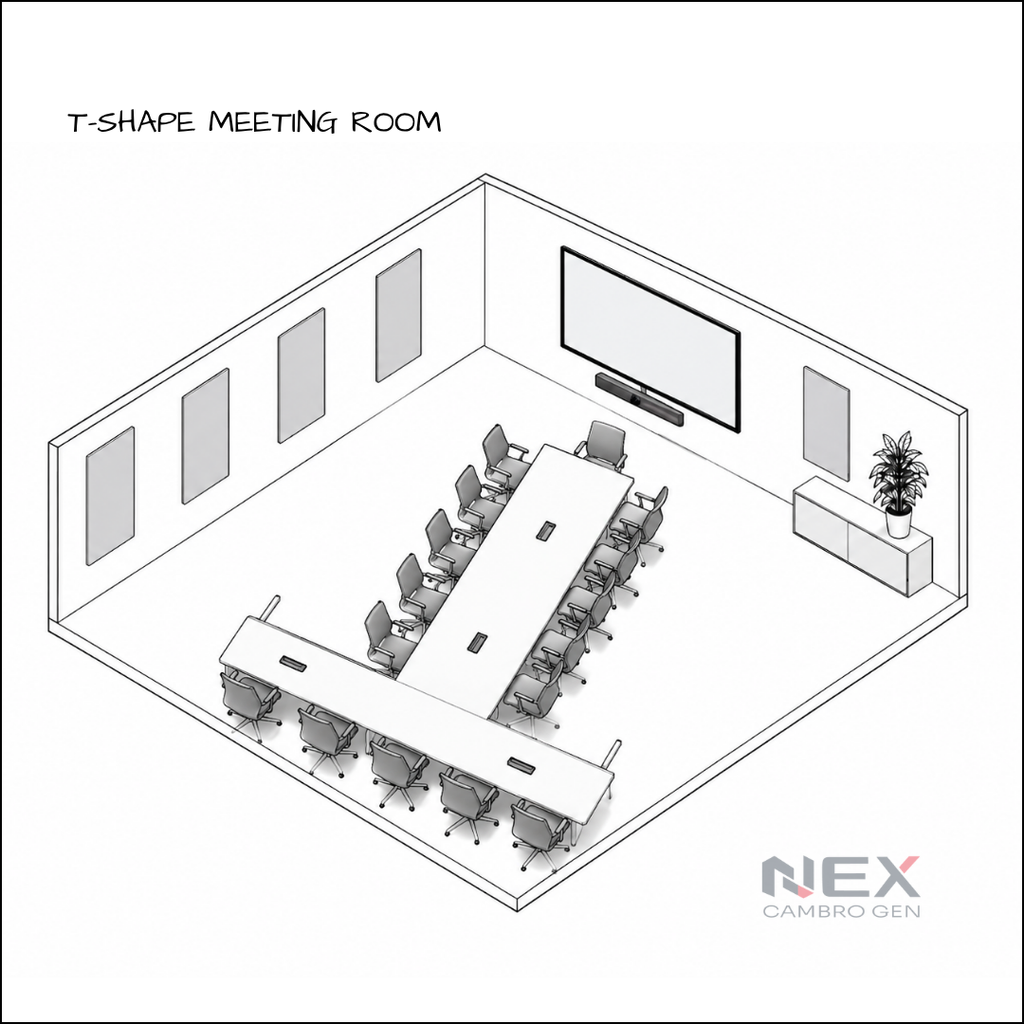
8. T-Shape Meeting Room Setup
A T-shaped setup combines a primary head table with an extended central table.
It creates a natural focal point at one end while still accommodating participants along the main table.
When should you use T-shape?
T-shape can work well for:
- Leadership presentations
- Panel discussions
- Formal briefings
- Review meetings
- Structured decision-making sessions
Technology considerations
Determine whether the primary focus will be the people seated at the head of the table or a display positioned behind them.
Camera placement should support the intended focal point while microphones need to cover participants along both sections of the table.
Which Meeting Room Layout Should You Choose?
The best layout depends on how people need to interact.
| Meeting Room Layout | Best For | Interaction Style |
|---|---|---|
| Theater | Presentations and briefings | Presenter → Audience |
| Classroom | Training and workshops | Presenter → Participants |
| Banquet | Networking and group activities | Group ↔ Group |
| Cabaret | Workshops and presentations | Presenter + Groups |
| Boardroom | Executive meetings | Participant ↔ Participant |
| E-Shape | Structured workshops | Facilitated groups |
| U-Shape | Interactive training | Presenter ↔ Participants |
| T-Shape | Leadership briefings | Head table ↔ Participants |
The important point is that room layout should be decided before the technology is finalized.
A camera suitable for a six-person boardroom may not provide the coverage needed for a 20-person training room. The same applies to microphones, displays, speakers, and collaboration systems.
What Equipment Do You Need for a Meeting Room?
Once the layout is determined, the next step is choosing the right meeting room equipment. A modern meeting room typically combines six core technology components.
1. Display
The display is the visual center of the meeting room. During a meeting, it brings presentations, dashboards, shared content, and remote participants into one place. Between meetings, the same screen can also support digital signage, room information, or internal communications when paired with the right platform.
When choosing a display, bigger is not automatically better. Consider the room depth, viewing distance, seating layout, and the type of content people need to read. In deeper rooms, a larger screen—or multiple displays—may provide a better experience than relying on a single display at the front.
And the screen does not have to sit idle once the meeting ends. See how a meeting room display can support wireless collaboration during meetings and digital signage between sessions. Learn how one meeting room display can do two jobs
2. Conference Camera
The camera should match the room size and seating arrangement.
Small rooms
A wide field-of-view conference camera or video bar can often cover participants sitting relatively close to the display. If you’re comparing options, read our guide on choosing the best conference room camera for your meeting space.
Medium rooms
Look for stronger framing capabilities and sufficient coverage for participants positioned farther from the camera.
Large rooms
For larger meeting rooms, training spaces, and boardrooms, a PTZ camera can provide more flexible coverage than a fixed camera. With pan, tilt, and optical zoom, it can capture presenters, participants seated farther from the display, or different areas of the room without requiring multiple fixed cameras.
If you’re not sure whether this type of camera fits your space, read our guide on what a PTZ camera is and when you need one.
3. Microphones and Speakers
Clear video matters, but poor audio can still make a meeting difficult to follow.
Your audio setup should do two things well: people in the room should hear remote participants clearly, and remote participants should be able to hear everyone in the room without strain.
The right microphone setup depends on the space itself, including:
- Table length
- Number of participants
- Room acoustics
- Seating arrangement
- Distance between participants
Larger rooms may require multiple microphones, ceiling solutions, or distributed audio rather than relying on a single device at the front.
4. Wireless Presentation
People should be able to walk into a meeting room and share content without spending the first few minutes looking for the correct cable or adapter.
Wireless presentation allows users to share content from laptops and other compatible devices to the room display.
For organizations looking for more advanced collaboration capabilities, solutions such as Mersive Solstice can support wireless content sharing and collaborative meeting-room workflows.
This becomes particularly useful in spaces where multiple presenters regularly share content.
5. Video Conferencing Platform
Determine which platforms your organization regularly uses.
Common environments include:
- Microsoft Teams
- Zoom
- Google Meet
- Web-based conferencing
- BYOD/BYOM environments
The room should be designed around the organization’s actual workflow instead of forcing users into a completely different meeting process.
6. Meeting Room Booking System
For shared meeting rooms, the technology outside the room can be just as important as the technology inside it.
A room booking system allows employees to check availability and reserve spaces.
Solutions such as GoBright can extend this into workplace management through room booking, desk booking, visitor management, and related smart-office workflows.
For organizations managing multiple meeting spaces, this can reduce scheduling conflicts and make rooms easier to find and use.
Additional Meeting Room Equipment to Consider
Depending on the space, you may also need:
- Touch controllers
- Control systems
- Room scheduling panels
- Digital signage
- Additional displays
- Ceiling or table microphones
- Speakers
- USB-C or HDMI connectivity
- Wireless presentation systems
- Network infrastructure
- Lighting control
- Acoustic treatment
Not every meeting room needs every device.
That is why starting with the room requirement is more important than starting with a product list.
How to Plan a Meeting Room Setup
A good meeting room starts with how the space will be used, not with a list of equipment. A six-person collaboration room and a 20-person training room may both need a camera, display, and audio—but the way those technologies are designed into the space will be very different.
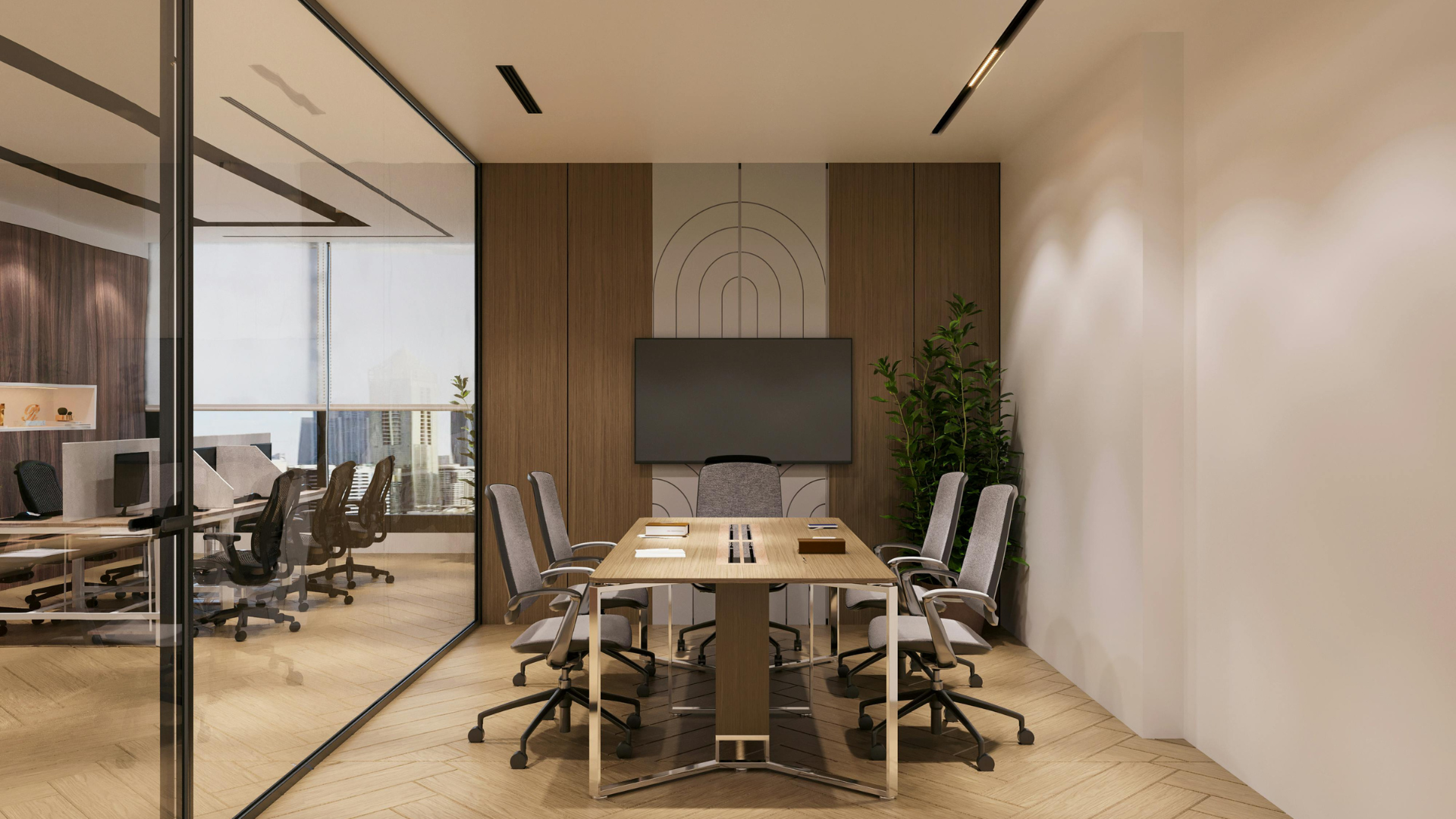
A practical planning sequence looks like this:
Room Purpose → Capacity → Layout → Display → Camera → Audio → Content Sharing → Conferencing → Booking & Control
Think of a six-person collaboration room. A single display, wide-angle conference camera, microphone/speaker system, and wireless presentation may be enough to keep meetings simple and productive.
Now scale that to a 20-person training room. Participants are seated farther from the front, more voices need to be heard, and presenters may move around the room. That could mean larger or multiple displays, broader microphone coverage, presenter tracking, and more advanced AV control.
The goal isn’t to put more technology in the room. It’s to make sure the technology scales with the space and the way people use it.
Frequently Asked Questions About Meeting Room Setup
How do you set up a meeting room?
Start by identifying how many people will use the room and what activities will take place inside it. Choose a suitable seating layout, then determine the display, camera, microphone, speaker, video conferencing, and presentation requirements.
What should be included in a meeting room?
A typical modern meeting room includes a display, conferencing camera, microphones, speakers, presentation connectivity, and access to a video conferencing platform. Shared rooms may also benefit from wireless presentation and room booking systems.
What is the best meeting room layout?
There is no single best layout. Boardroom layouts work well for executive discussions, classroom arrangements support training, theater seating suits presentations, while U-shape and cabaret layouts are better for interactive sessions.
What equipment is needed for a video conference room?
At minimum, most video conference rooms require a display, conference camera, microphones, speakers, conferencing software or platform access, and a method of sharing content.
How do you choose a conference room camera?
Consider room dimensions, seating capacity, distance from participants, camera field of view, framing requirements, and whether the camera needs to follow presenters or capture different areas of the room.
Continue Reading
Related Articles

Meeting Room Technology
Best Meeting Room Setup for a More Secured, Seamless & Scalable Workplace
See how wireless presentation, intelligent video, AV switching, and a professional display work together in a more secure, seamless, and scalable meeting room.
Read Article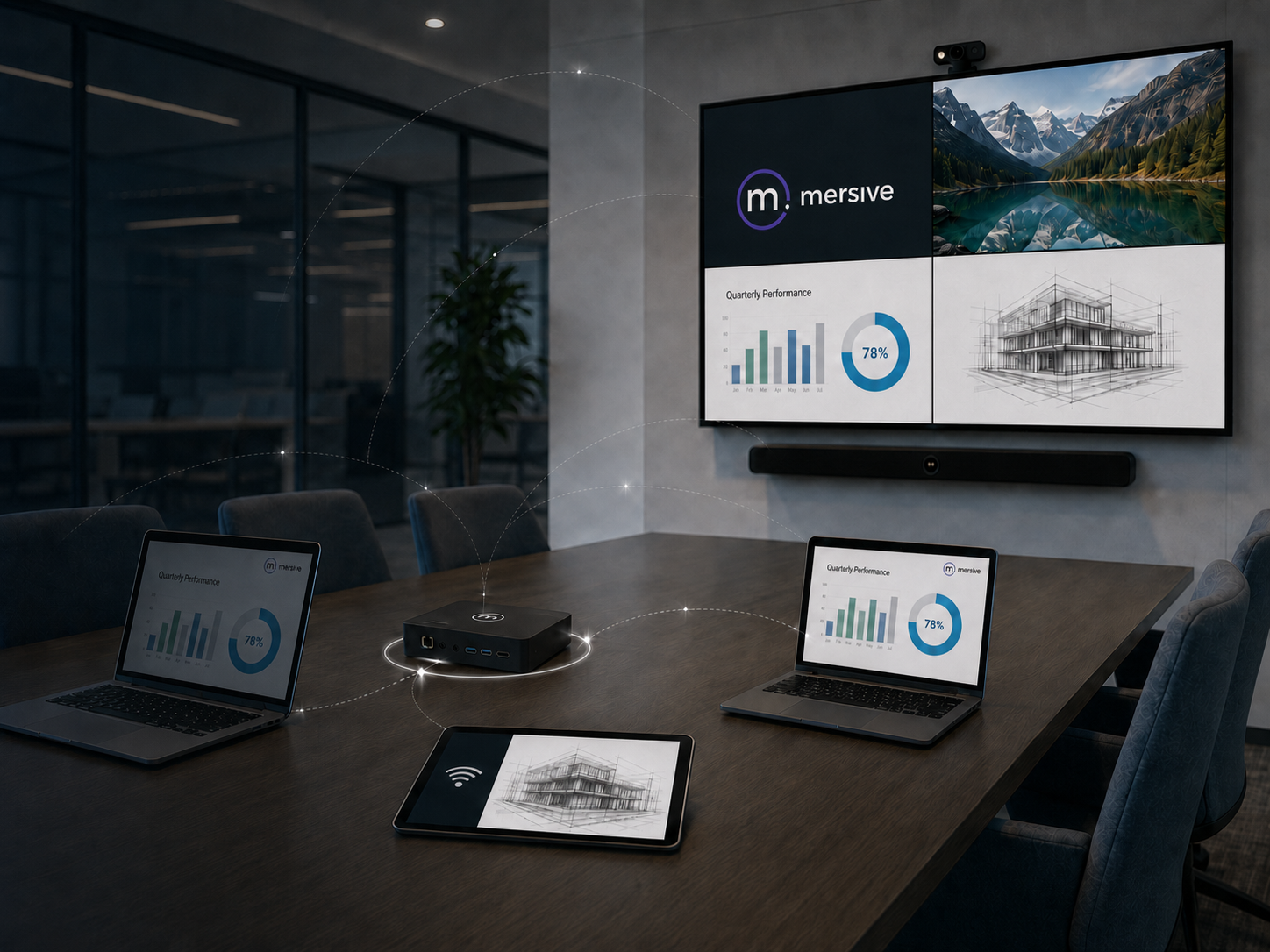
Collaboration Technology
Your Meeting Room Display Can Do More Between Meetings
See how one meeting room display can support wireless collaboration, digital signage, and room schedules throughout the complete meeting cycle.
Read Article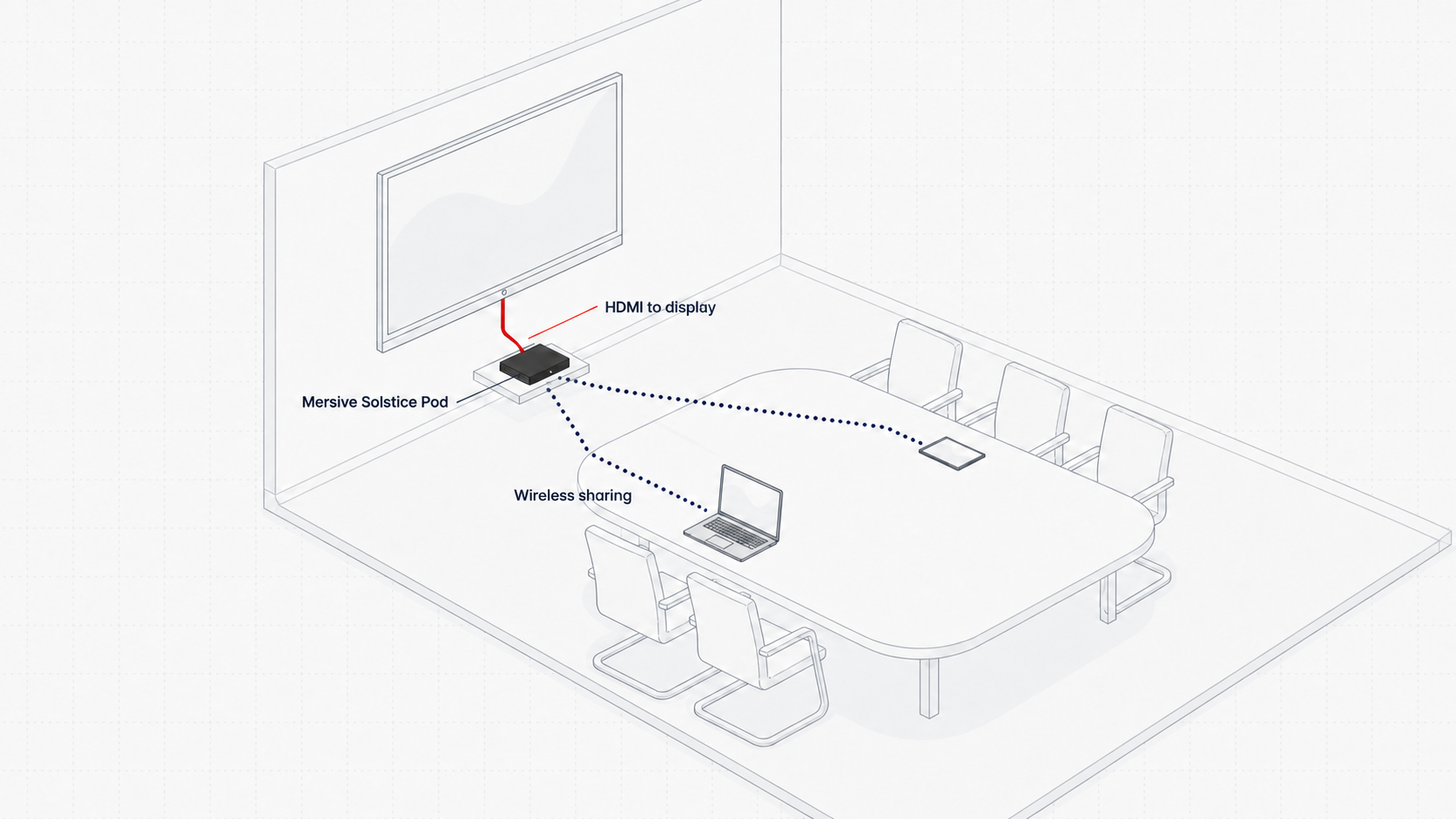
Collaboration Technology
Turning Meeting Room Screens Into Digital Signage
Learn how one meeting room display can support wireless collaboration during meetings and become a useful digital signage channel between sessions.
Read Article